0%

Maple Employee App

Description

Maple’s app for healthcare workers had been left behind: workers couldn’t find their own shifts and stopped using it. I redesigned it end to end and added what workers and customers asked for most.

Impact

3 new features

Chat, earnings and shift details, none existed before

Calendar

The schedule view workers asked for most

Full redesign

Every screen, from schedule to time cards

ProjectMobile app redesign
Year2025 - 2026
EmployerMaple (Clipboard Health)
LocationSan Francisco, US (Remote)

Problem

While Maple’s scheduling platform grew, the app for its workers was ignored. Workers didn’t understand it, couldn’t see their own shifts, and stopped opening it. Customers kept asking for chat.

Solution

I redesigned the whole app and built what it never had: a calendar schedule, shift details with time card history, chat and earnings. I left Maple before it launched, so this case shows the before and after, not the numbers.

The feedback on the redesign kept coming back to the same two things: clarity and visuals.

Schedule

Before
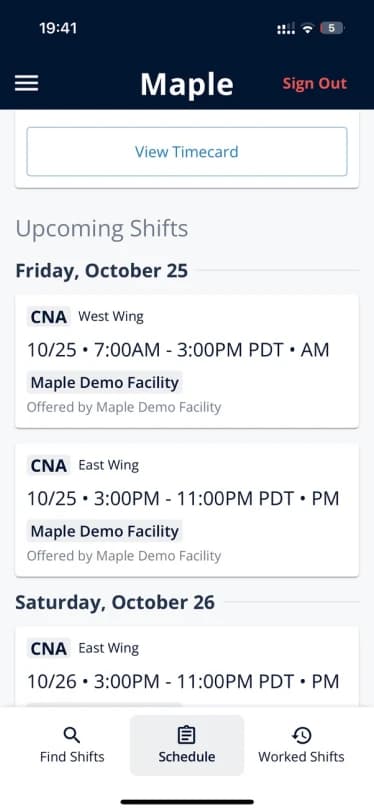
  • Shifts were a long list of identical cards, hard to scan
  • No way to see the month at a glance, or share it with family
After
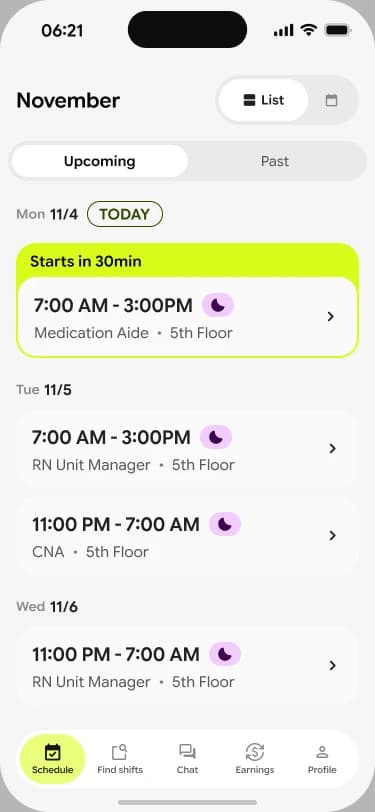
  • Upcoming and past shifts in one place, with the next shift on top
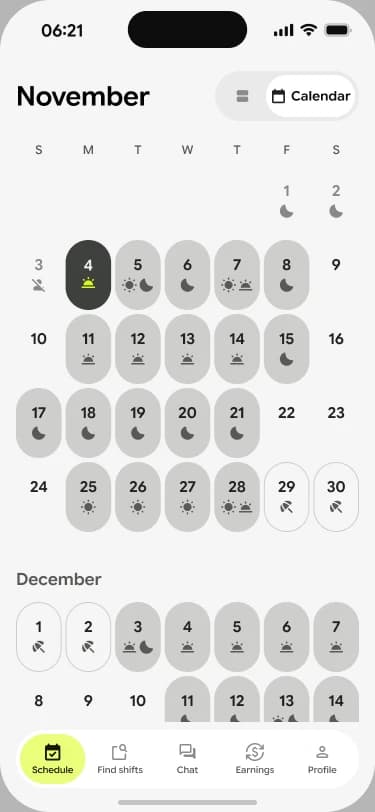
  • A calendar view, with every shift on its day
Why a calendar

It was what workers asked for most. A calendar is easier to read than a list, and easy to share with the family planning around their shifts.
Before
Old Maple app: upcoming shifts as a list of cards
After
New schedule list with the next shift highlightedNew calendar view with shifts on each day

Past shifts and time cards

Before
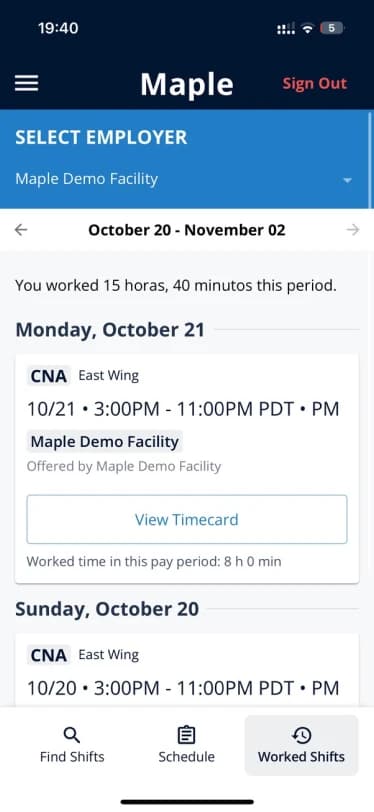
  • Past work lived in a separate “Worked Shifts” tab, by pay period
  • No way to open a shift and see its details
After
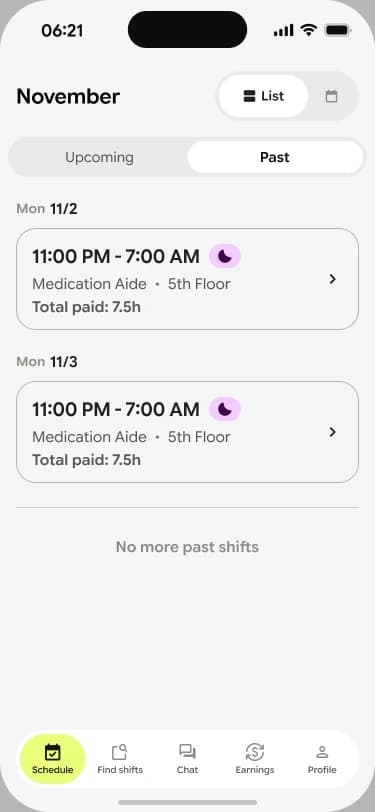
  • Past shifts sit next to upcoming ones, with the total paid on each
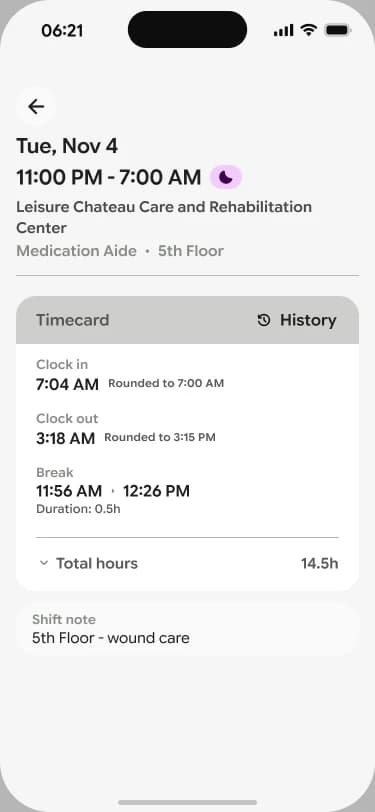
  • Shift details, new: the time card and the full history of its edits
Why show every time card edit

When a time card changed, workers didn’t know why, and it was their pay. Showing each edit makes the numbers easy to trust.
Before
Old Maple app: worked shifts grouped by pay period
After
New past shifts list with the total paid on each shiftNew shift details with the time card and its edit history

Find shifts

Before
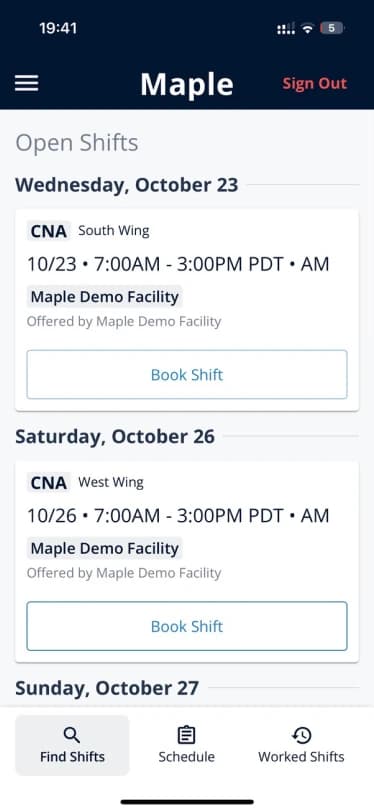
  • Open shifts as a long list with an outlined “Book Shift” on every card
After
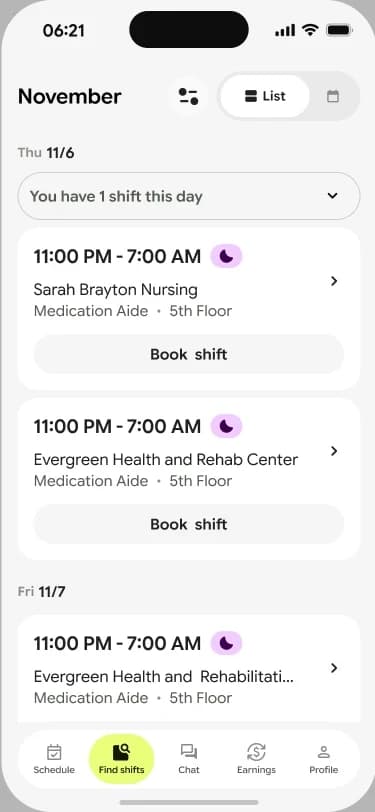
  • Open shifts grouped by day, with the facility on each card
  • A heads-up when the worker already has a shift that day
Before
Old Maple app: open shifts list
After
New find shifts list grouped by day

Clock in and out

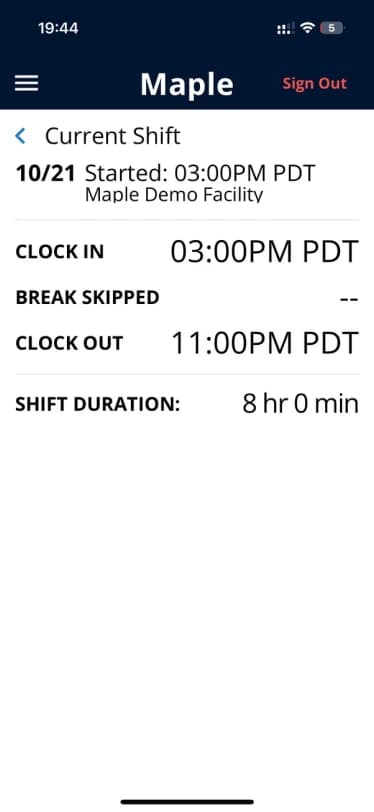
Before
  • A static screen with clock-in, break and clock-out times
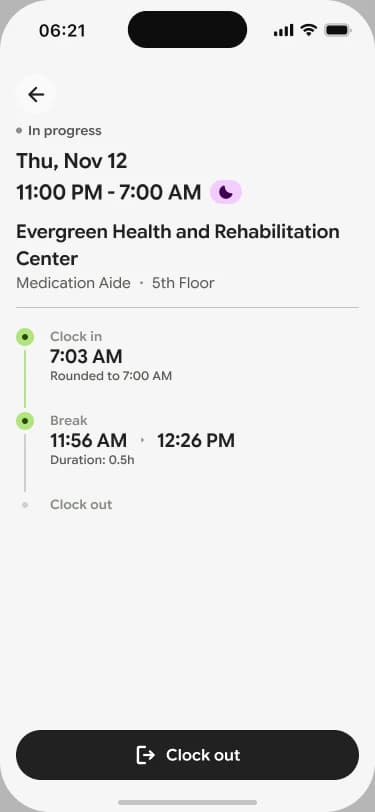
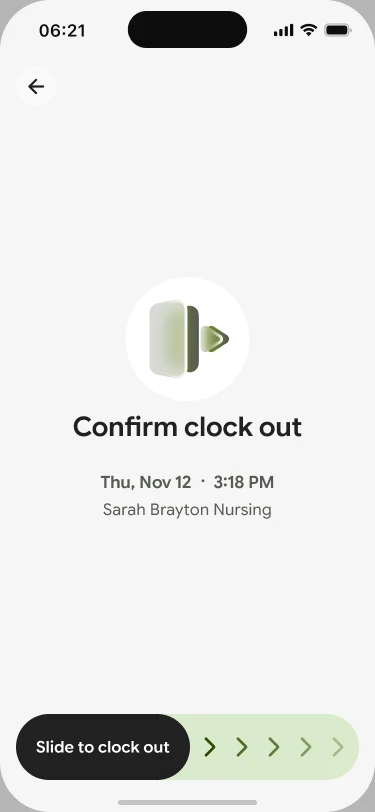
After
  • The shift as a timeline while it happens: clock in, break, clock out
  • Slide to clock out, so it never happens by accident
Before
Old Maple app: current shift with clock-in and clock-out times
After
New shift in progress with a clock-in and break timelineNew confirm clock out screen with slide to clock out

Earnings

New feature
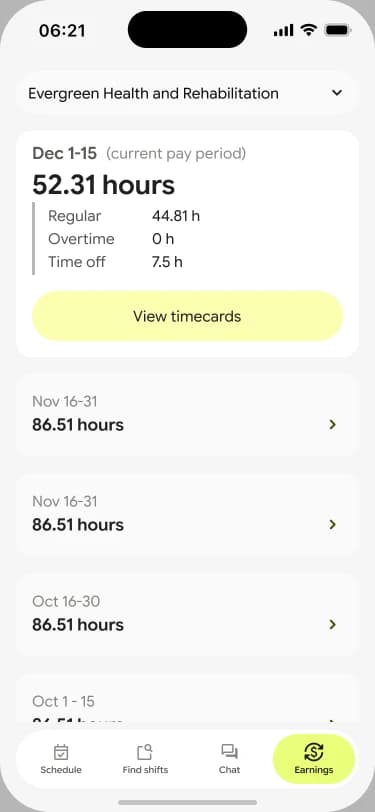
  • Hours for the current pay period, split into regular, overtime and time off
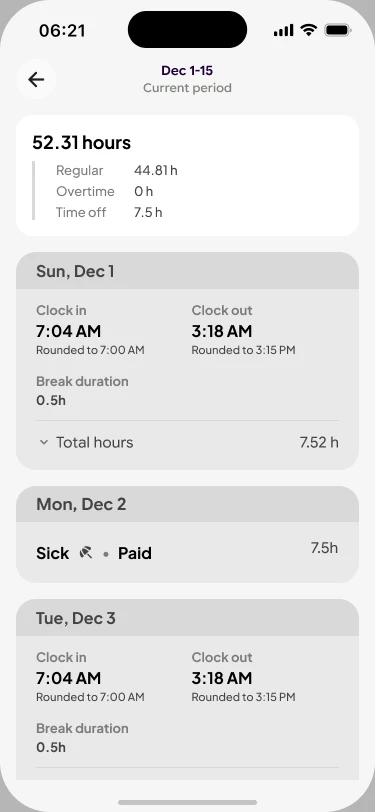
  • Every time card by day, with clock in, clock out and breaks
Why a single earnings view

Workers wanted one answer to “how much did I work?”. Putting hours and time cards together gives them that answer without asking anyone.
New feature
New earnings summary for the current pay periodNew time cards for each day of the pay period

Chat

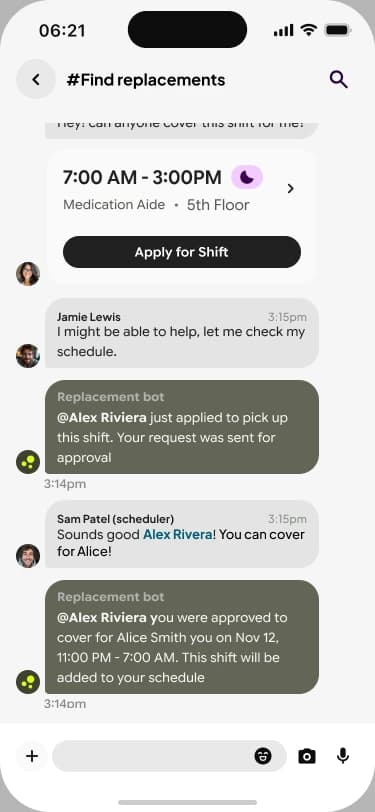
New feature
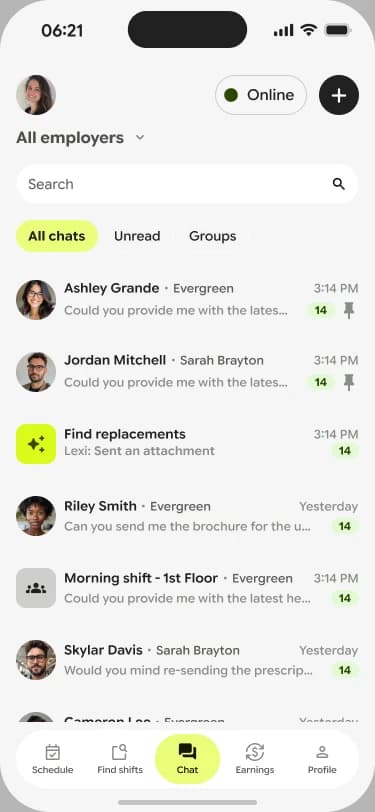
  • Chat with schedulers and teammates, inside the app
  • Group channels, like #Find replacements, where open shifts get covered
Why chat

It was the request we heard most from customers. Keeping the conversation next to the shifts it’s about saves everyone a phone call.
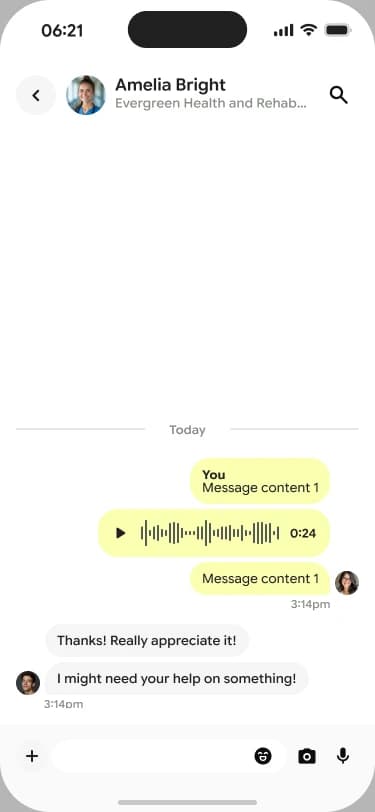
New feature
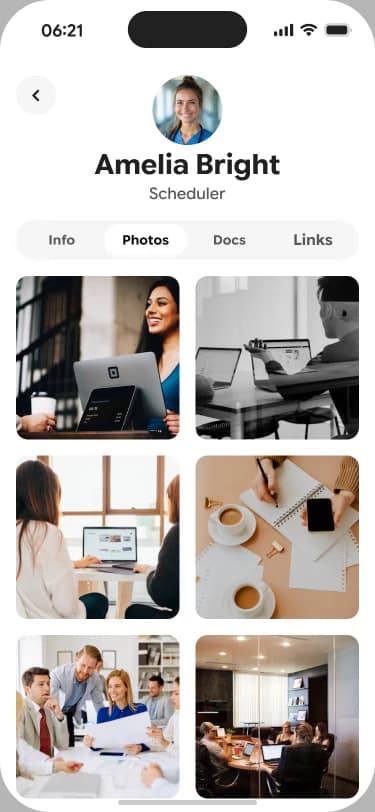
New chat list with conversations and filtersNew chat thread with a schedulerNew #Find replacements channel where a bot offers an open shiftNew scheduler profile with shared photos

Conclusion and final thoughts

The Employee App went from the screen workers avoided to one that answers their questions on its own: when do I work, what changed, and how much did I work. Clarity was the feature.